
[](https://badge.fury.io/js/vue-notification)
[](https://www.npmjs.com/package/vue-notification)
### Vue.js notifications
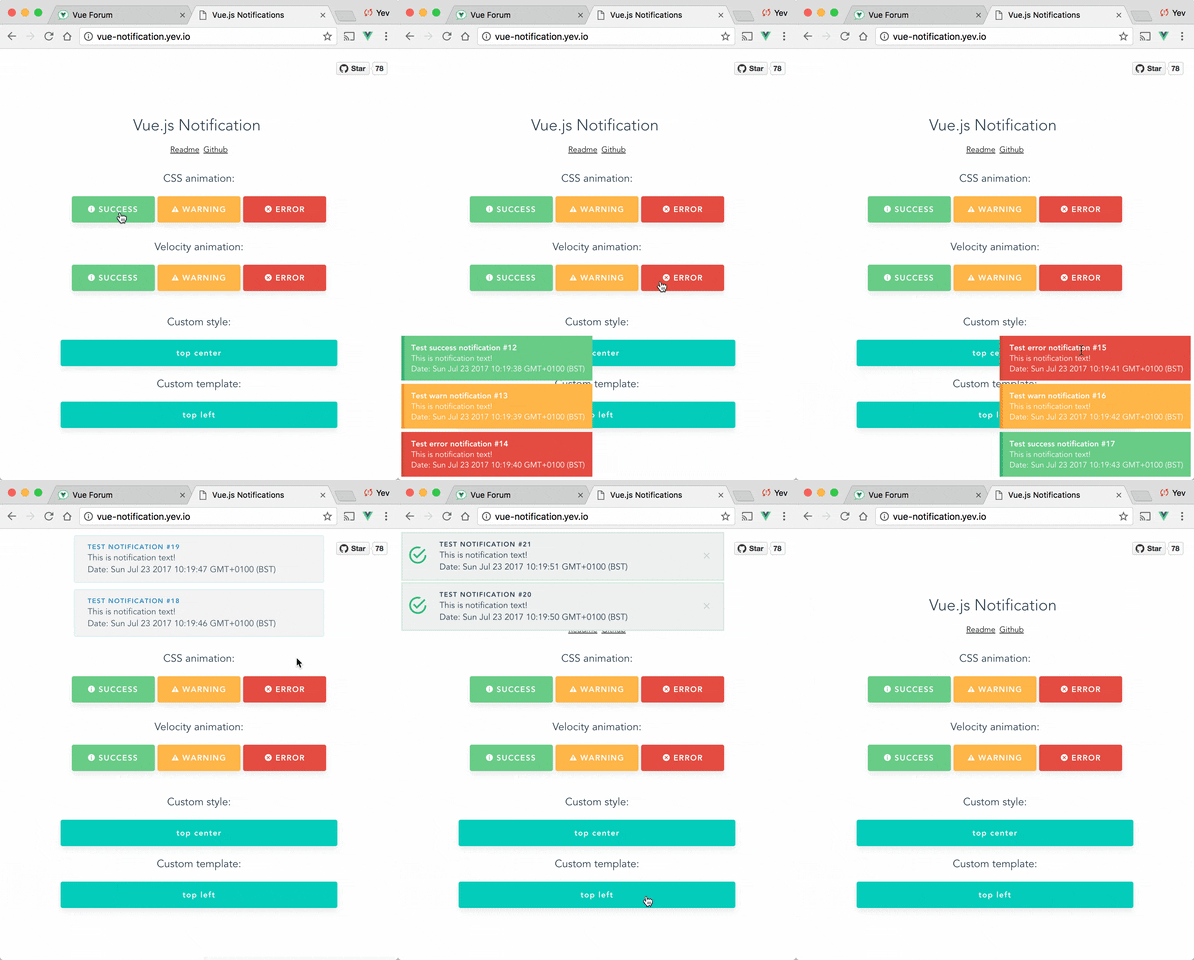
Demo: http://vue-notification.yev.io/
### Install
```bash
npm install --save vue-notification
```
### How to
In main.js:
```javascript
import Vue from 'vue'
import Notifications from 'vue-notification'
/*
or for SSR:
import Notifications from 'vue-notification/dist/ssr.js'
*/
Vue.use(Notifications)
```
In App.vue:
```vue
```
In any of your vue files:
```javascript
this.$notify({
group: 'foo',
title: 'Important message',
text: 'Hello user! This is a notification!'
});
```
Anywhere else:
```javascript
import Vue from 'vue'
Vue.notify({
group: 'foo',
title: 'Important message',
text: 'Hello user! This is a notification!'
})
```
### Custom instance configuration
All configurations are optional.
| Name | Type | Default | Description |
| --- | --- | --- | --- |
| name | String | notify | Defines the instance name. It's prefixed with the dollar sign. E.g. `$notify` |
| componentName | String | notifications | The component's name |
### Props
All props are optional.
| Name | Type | Default | Description |
| --- | --- | --- | --- |
| group | String | null | Name of the notification holder, if specified |
| type | String | null | Class that will be assigned to the notification |
| width | Number/String | 300 | Width of notification holder, can be `%`, `px` string or number.
Valid values: '100%', '200px', 200 |
| classes | String/Array | 'vue-notification' | List of classes that will be applied to notification element |
| position | String/Array | 'top right' | Part of the screen where notifications will pop out |
| animation-type | String | 'css' | Type of animation, currently supported types are `css` and `velocity` |
| animation-name | String | null | Animation name required for `css` animation |
| animation | Object | `$`* | Animation configuration for `Velocity` animation |
| duration | Number | 3000 | Time (ms) animation stays visible (if **negative** - notification will stay **forever** or until clicked) |
| speed | Number | 300 | Speed of animation showing/hiding |
| max | Number | Infinity | Maximum number of notifications that can be shown in notification holder |
| reverse | Boolean | false | Show notifications in reverse order |
| ignoreDuplicates | Boolean | false | Ignore repeated instances of the same notification |
| closeOnClick | Boolean | true | Close notification when clicked |
$ = `{enter: {opacity: [1, 0]}, leave: {opacity: [0, 1]}}`
### API
```javascript
this.$notify({
// (optional)
// Name of the notification holder
group: 'foo',
// (optional)
// Class that will be assigned to the notification
type: 'warn',
// (optional)
// Title (will be wrapped in div.notification-title)
title: 'This is title',
// Content (will be wrapped in div.notification-content)
text: 'This is content ',
// (optional)
// Overrides default/provided duration
duration: 10000,
// (optional)
// Overrides default/provided animation speed
speed: 1000
// (optional)
// Data object that can be used in your template
data: {}
})
```
Title and Text can be HTML strings.
Also you can use simplified version:
```javascript
this.$notify('text')
```
### Groups
If you are planning to use `notification` component for 2 or more completely different types of notifications (for example, authentication error messages in top center and generic app notifications in bottom-right corner) - you can specify `group` property which is essentially a name of notification holder.
Example:
```vue
```
```javascript
this.$notify({ group: 'auth', text: 'Wrong password, please try again later' })
```
### Position
`Position` property requires a string with 2 keywords for vertical and horizontal postion.
Format: `" "`.
- Horizontal options: `left`, `center`, `right`
- Vertical options: `top`, `bottom`
Default is "top right".
Example:
```vue
```
### Style
You can write your own css styles for notifications:
Structure:
```scss
// SCSS:
.my-style {
// Style of the notification itself
.notification-title {
// Style for title line
}
.notification-content {
// Style for content
}
&.my-type {
/*
Style for specific type of notification, will be applied when you
call notification with "type" parameter:
this.$notify({ type: 'my-type', message: 'Foo' })
*/
}
}
```
To apply this style you will have to specify "classes" property:
```vue
```
**Default:**
```scss
.vue-notification {
padding: 10px;
margin: 0 5px 5px;
font-size: 12px;
color: #ffffff;
background: #44A4FC;
border-left: 5px solid #187FE7;
&.warn {
background: #ffb648;
border-left-color: #f48a06;
}
&.error {
background: #E54D42;
border-left-color: #B82E24;
}
&.success {
background: #68CD86;
border-left-color: #42A85F;
}
}
```
### Custom template (slot)
Optional scope slot named "body" is supported.
Scope props:
| Name | Type | Description |
| --- | --- | --- |
| item | Object | notification object |
| close | Function | when called closes the notification |
Example:
```vue
```
### Width
Width can be set using a string with a percent or pixel extension (if simple number is not enough).
Examples: '100%', '50px', '50', 50
### Velocity Animation
Plugin can use use `Velocity` library to make js-powered animations. To start using it you will have to manually install `velocity-animate` & supply the librarty to `vue-notification` plugin (reason for doing that is to reduce the size of this plugin).
In your `main.js`:
```javascript
import Vue from 'vue'
import Notifications from 'vue-notification'
import velocity from 'velocity-animate'
Vue.use(Notifications, { velocity })
```
In the template you will have to set `animation-type="velocity"`.
```vue
```
The animation configuration consists of 2 objects/functions: `enter` and `leave`.
Example:
```javascript
/*
* Both 'enter' and 'leave' can be either an object or a function
*/
animation = {
enter (element) {
/*
* "element" - is a notification element
* (before animation, meaning that you can take it's initial height, width, color, etc)
*/
let height = element.clientHeight
return {
// Animates from 0px to "height"
height: [height, 0],
// Animates from 0 to random opacity (in range between 0.5 and 1)
opacity: [Math.random() * 0.5 + 0.5, 0]
}
},
leave: {
height: 0,
opacity: 0
}
}
```
```vue
```
### Cleaning
To remove all notifications, use `clean: true` parameter.
```javascript
this.$notify({
group: 'foo',
clean: true
})
```
### FAQ
Check closed issues with `FAQ` label to get answers for most asked questions.
### Development
```bash
To run an example:
# Build main library
cd vue-notification
npm install
npm run build
# Build and run demo
cd demo
npm install
npm run dev
# Run tests
npm run test
# Watch unit tests
npm run unit:watch
```